
Creating Architect flows in Genesys Cloud can be a thankless task. An ever sprawling mass of boxes, kept in check by reusable tasks and external diagrams.
In this article we’ll remove the drudgery of manually creating flows by using AI to create and test them for us. Specifically Claude Code with my Genesys Cloud Architect plugin.
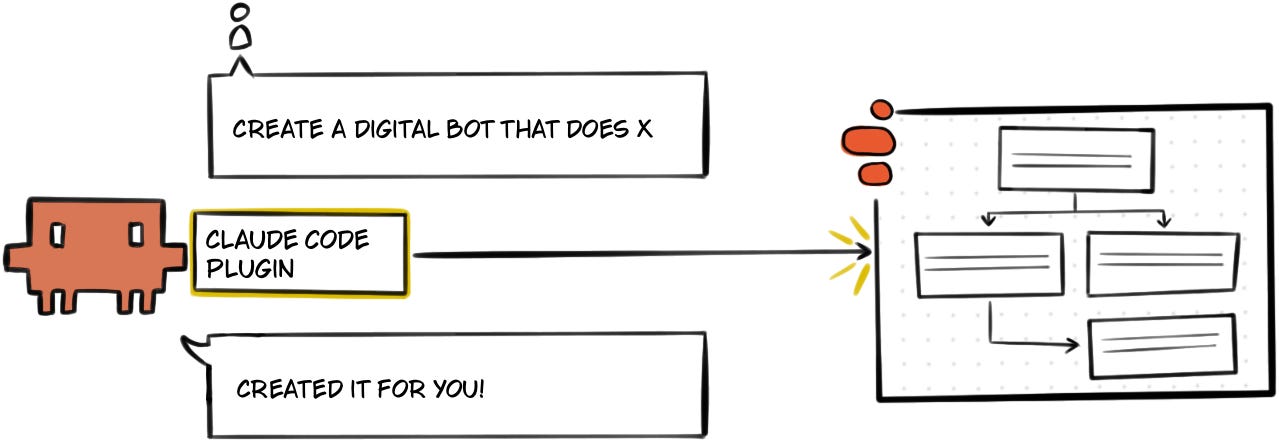
The Claude Code plugin I have created extends Claude Code, to give it the ability to:
Create Architect Flows
Test flows
Visualise flow dependencies
Soon it will also debug your existing flows. So subscribe to find out when…
Setup
The setup is an easy two stage process, however I’m assuming you’ve already installed Claude Code.
1. Install the Plugin
Open Claude Code and use the following commands to install the plugin:
# Add the marketplace
/plugin marketplace add MakingChatbots/genesys-cloud-plugins

# Install the plugin
/plugin install genesys-cloud-architect@makingchatbots-genesys-cloud-plugins
Want to checkout the code for the plugin? You can find it here: https://github.com/MakingChatbots/genesys-cloud-plugins
2. Create an OAuth Client
When you install the plugin you will be asked to provide the Client Credentials for your OAuth Client. The OAuth Client you use should have the following roles:
Architect > Flow > *
Architect > Job > *
Architect > UI > *
Language Understanding > NLU Domain Version > View
Textbots > *
Architect > Dependency Tracking > View
Create your flows with AI!
Now to the exciting part! Let’s tell Claude Code what Architect Flow we want it to create:
Create a Bank bot flow with two intents: "Check Account Balance" (collects an 8-digit AccountNumber slot) and "Find a Branch" (collects a 5-digit ZipCode slot).

The bot:
1. Asks "What would you like to do?"
2. Detects the intent
3. Then asks for the relevant slot
4. Exit the bot flow after slot collection

Include 6 utterances per intent with entity-annotated examples.
Add intent confirmation prompts like "I think you want to [intent], is that correct?"

Publish the flow, and test it frequently as you build it.
I’ve used a simple spec for the purpose of this article. However, a more detailed spec is obviously preferable.
Once Claude Code is given the specifications it will define a flow in TypeScript with Genesys’ Architect Scripting SDK.
Once it is satisfied with the definition it will then publish the flow and iterate on it. Basing each iteration on validation issues, test results and your feedback, until you’re satisfied that the flow is what you are after.
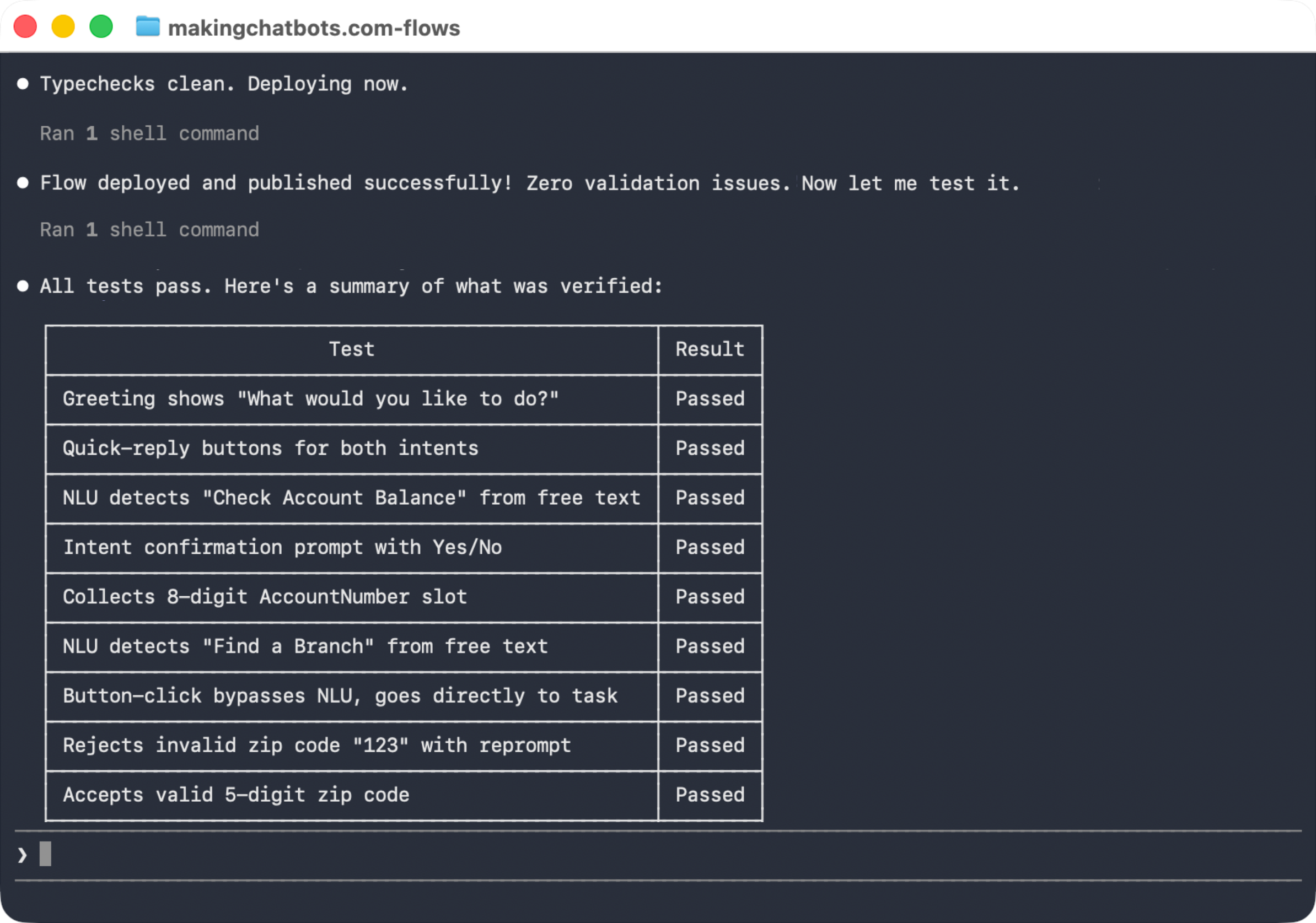
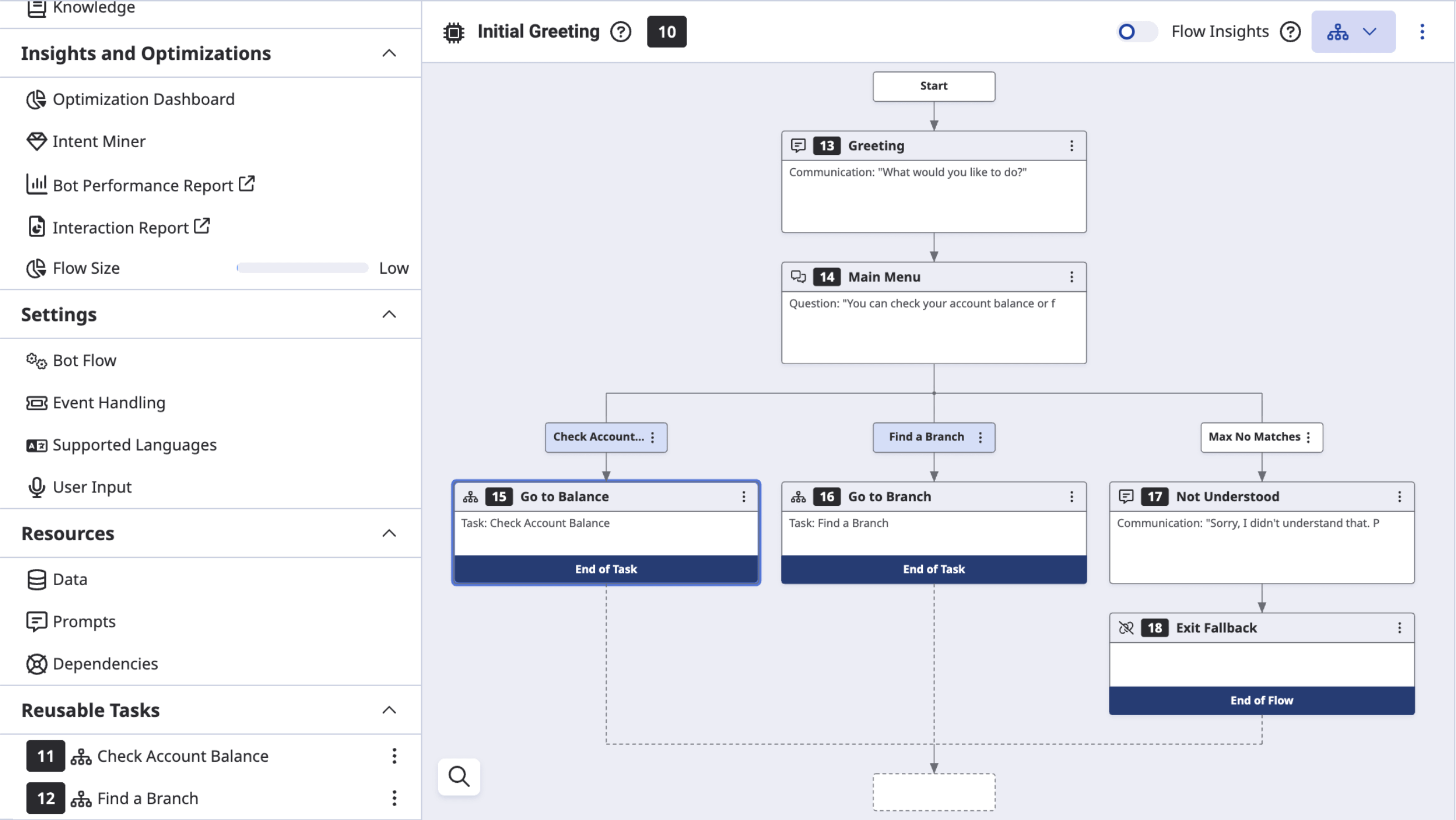
The Claude Code session above shows that it created the bank bot (code here), then deployed and tested it. It’s then possible to go into the Genesys Cloud org to see what it looks like:
What else can it do?
Create and test expressions
When asked by a colleague to help write an expression to safely extract a value from a JSON object, I thought it might be an interesting challenge to give Claude Code:
My Genesys Architect flow needs to extract the 'author' from the JSON retrieved from a participant attribute below:

{ "newsletter": {"makingchatbots": {"author": "Lucas Woodward "}}

Create an expression that returns the value of 'author'. However, if the property (or any of the parent properties) do not exist then return an empty value.

Create a Digital Bot flow to test your expression against different test cases.
You’ll notice above I asked it to test the expression in a Digital Bot flow. This is because my Claude Code plugin can run its own tests against this flow type:
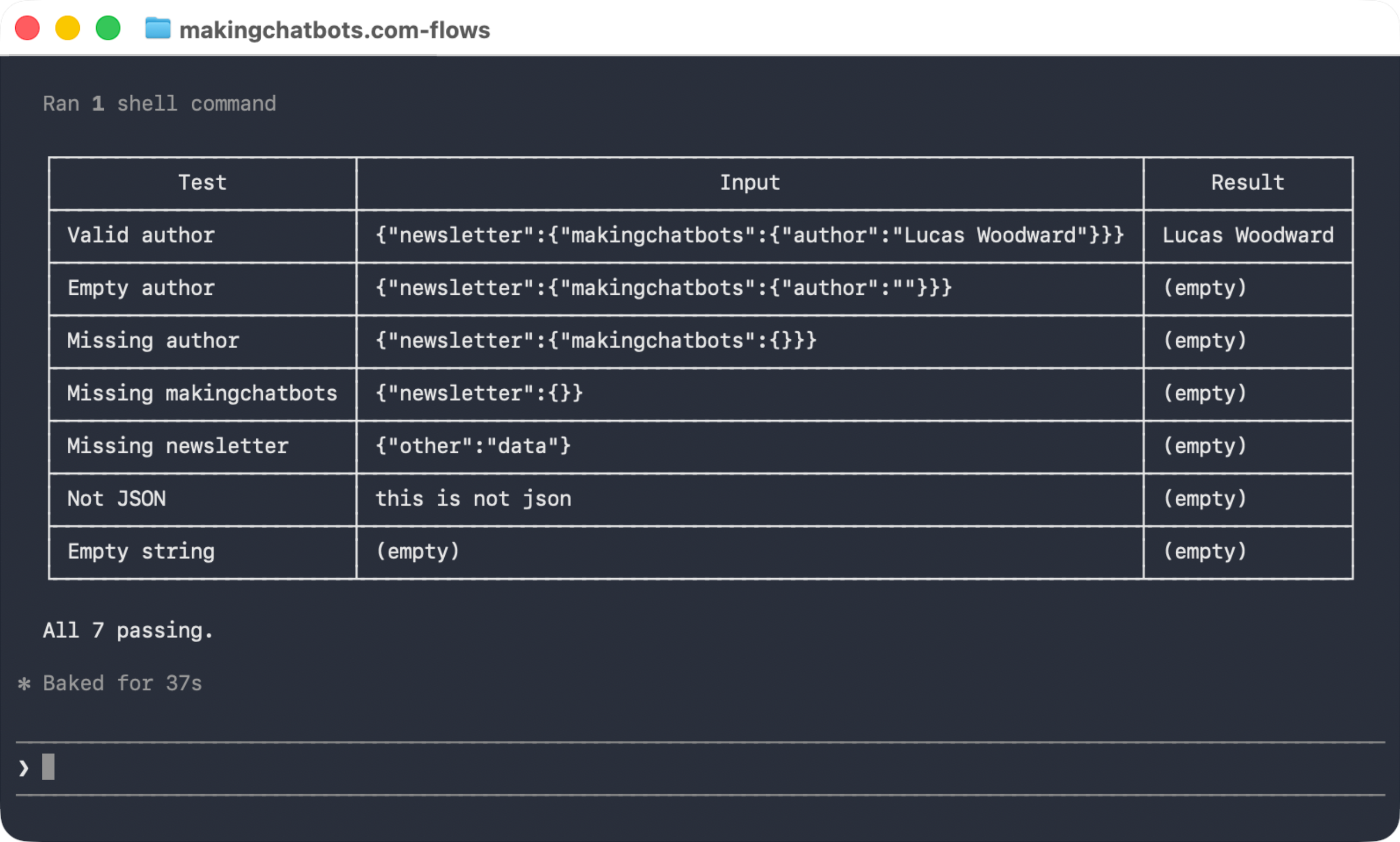
This was the expression it ended up creating, testing and explaining:
If(IsNotSetOrEmpty(Task.Json) or Substring(Trim(Task.Json), 0, 1) != "{",
   "",
   If(IsNotSetOrEmpty(JsonParse(Task.Json).newsletter),
      "",
      If(IsNotSetOrEmpty(JsonParse(Task.Json).newsletter.makingchatbots),
         "",
         If(IsNotSetOrEmpty(JsonParse(Task.Json).newsletter.makingchatbots.author),
            "",
            ToString(JsonParse(Task.Json).newsletter.makingchatbots.author)))))

It works from the outside in:

1. Is it valid JSON? — checks the value isn't empty and starts with {
2. Does newsletter exist? — guards before accessing the next level
3. Does makingchatbots exist? — guards again
4. Does author exist and have a value? — final guard before extracting

Each If short-circuits — if any level is missing, it returns "" immediately without trying to access deeper properties (which would cause a runtime error).
Map out dependencies between Architect Flows
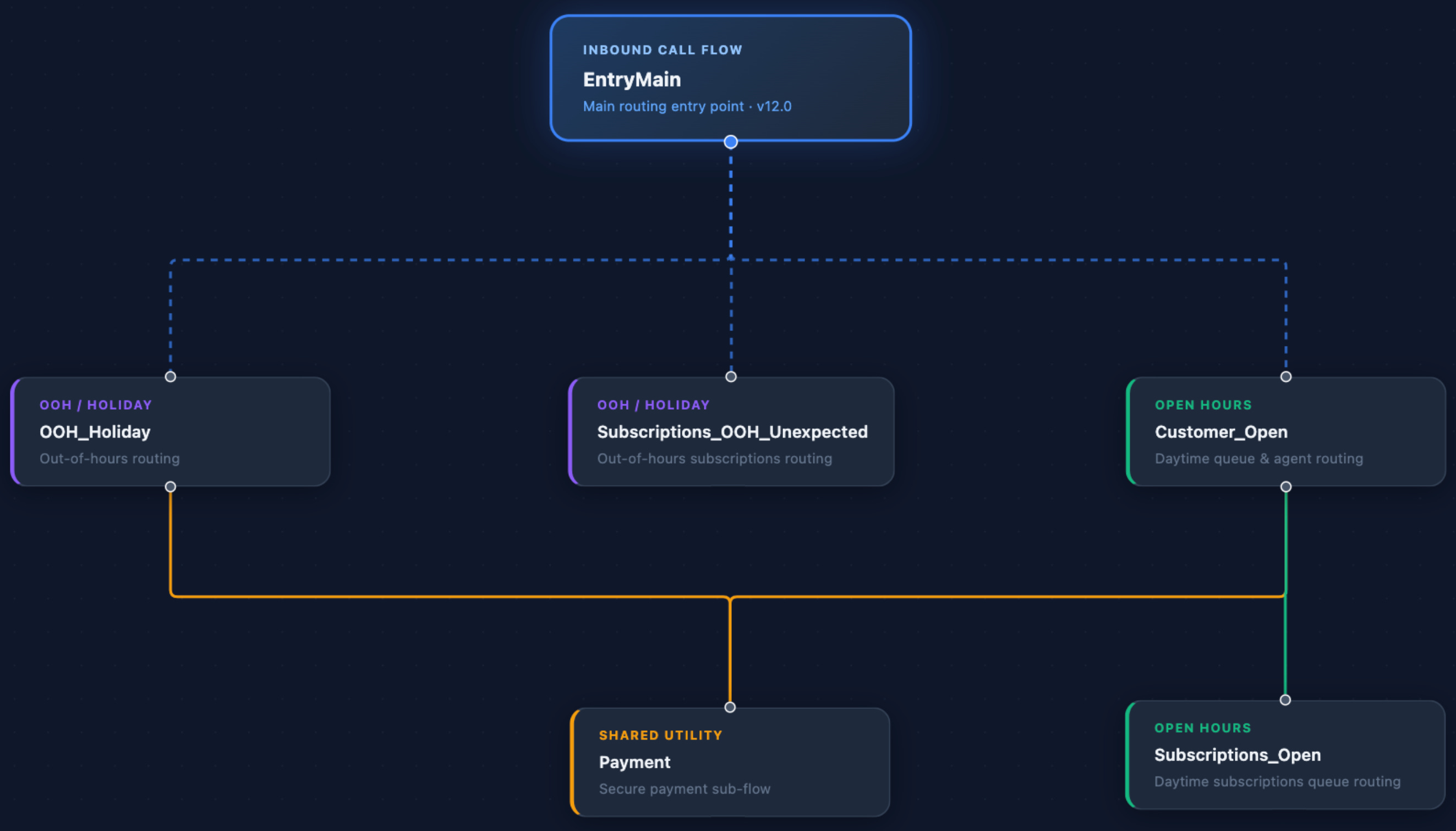
The plugin is also able to build out a visual map of your flows’ dependencies:
Create a high-level diagram of the dependencies for the EntryMain flow.Claude Code will then use the plugin to create a HTML file that visualises the flow dependencies:
Conclusion
On a train a couple of months ago I shared a sketch of my plan to allow people to use AI to define, deploy, test, debug, observe and visualise Architect flows.
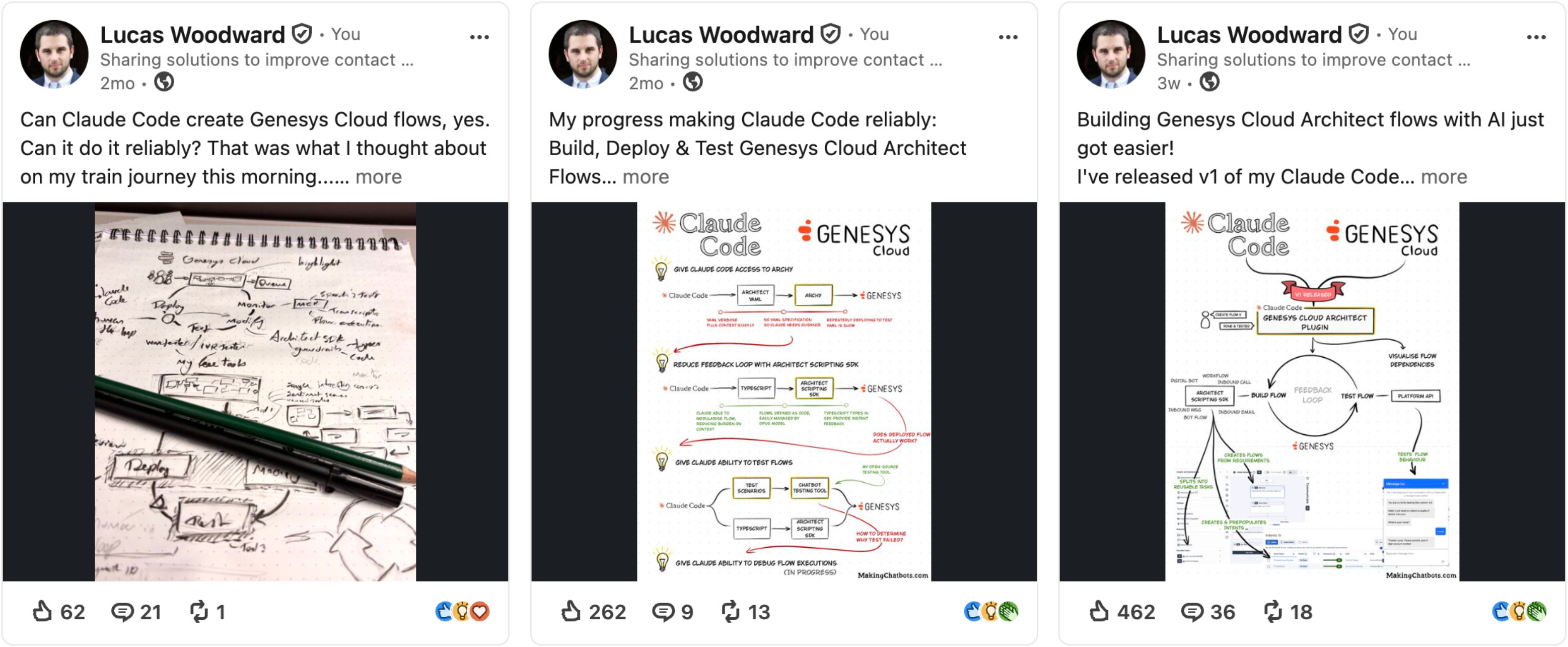
This marks the first step in making this possible. So be sure to follow along, share with colleagues, and please do provide me with any feedback you may have!