
Architect flows in Genesys Cloud are the backbone of every customer journey. However, as they grow in complexity so does the difficultly in understanding and documenting them.
In this article I’ll show how this is no longer the case. By leveraging AI we can easily document flows, no matter how complex they are. We can even ask questions about how they work, or task AI with hunting for bugs in them.

The Claude Code plugin I have created extends Claude Code so it can understand Architect flows. This means as well as creating, deploying & testing flows, it can now:
Answer questions about them
Write documentation for them
Identify issues in them
I’ll soon be adding the ability for Claude Code to debug interactions with your flows, so subscribe to find out when…
Setup
The setup, which I copied here from my previous article, is an easy two stage process. I’m assuming you’ve already installed Claude Code.
1. Install the Plugin
Open Claude Code and use the following commands to install the plugin:
# Add the marketplace
/plugin marketplace add MakingChatbots/genesys-cloud-plugins

# Install the plugin
/plugin install genesys-cloud-architect@makingchatbots-genesys-cloud-plugins
Want to checkout the code for the plugin? You can find it here: https://github.com/MakingChatbots/genesys-cloud-plugins
2. Create an OAuth Client
When you install the plugin you will be asked to provide the Client Credentials for your OAuth Client. The OAuth Client you use should have the following roles:
Architect > Flow > *
Architect > Job > *
Architect > UI > *
Language Understanding > NLU Domain Version > View
Textbots > *
Architect > Dependency Tracking > View
Documenting your flows with AI!
Now we have the plugin installed we can ask Claude Code to create documentation for the bot we created in the last article:
Document the flow "Bank Bot".

Show me how it hangs together, quote what the bot actually says at each step,
and flag anything that looks wrong.

If it is too big for one diagram, split it by responsibility.
Claude Code finds the flow based on its name, inspects it and then writes documentation about it, including the following diagram of how it works:
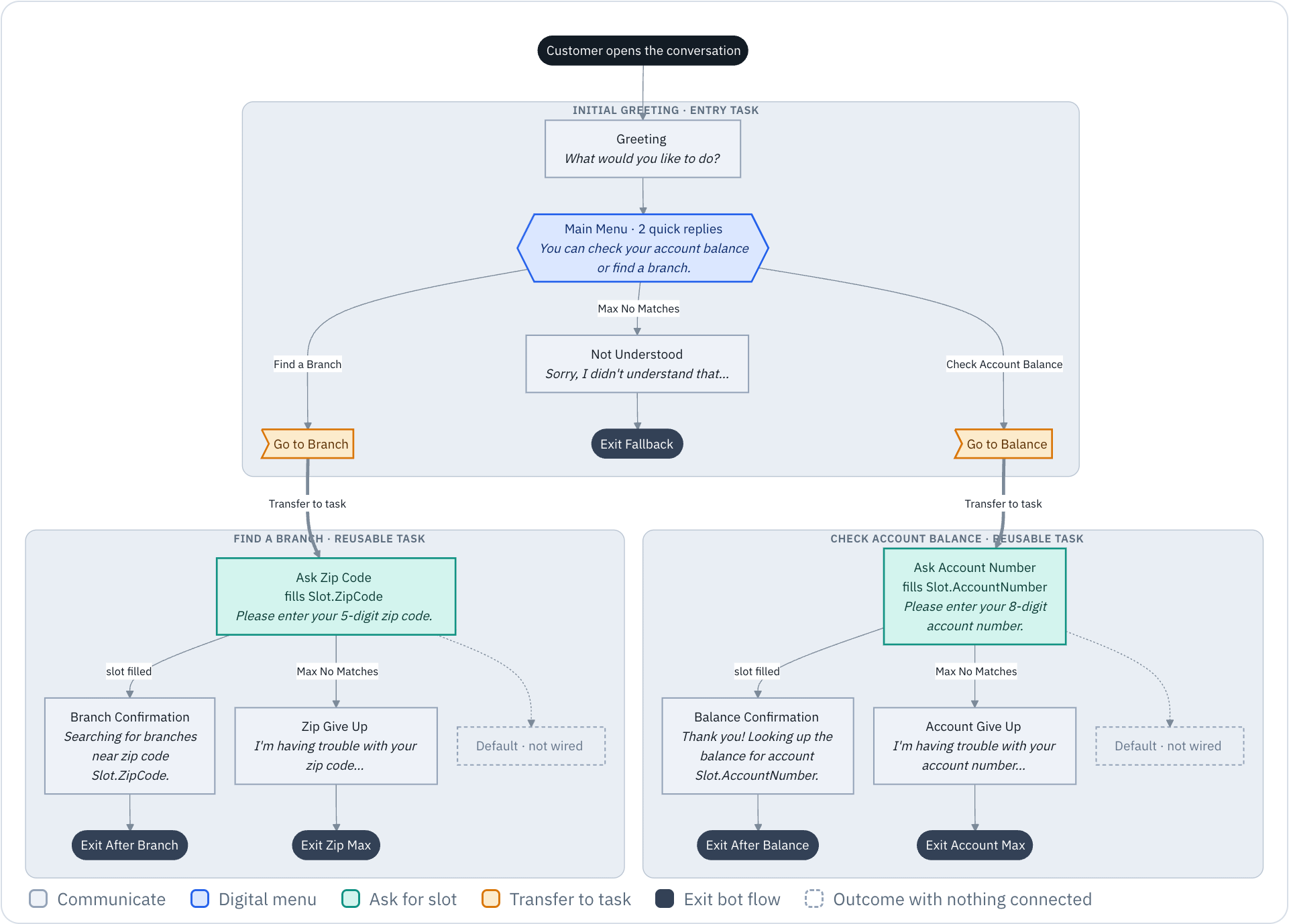
If a flow is too complex for a single diagram you can instruct Claude Code to provide a high-level view, then split the diagrams by responsibility.
You can also enrich the documentation with sample conversations, based on tests Claude Code can run:
Now run the bot for real.

Try each path a customer could take, including getting things wrong,
and add a section showing the actual conversations.

Flag anything the recorded runs contradict in the documentation above. 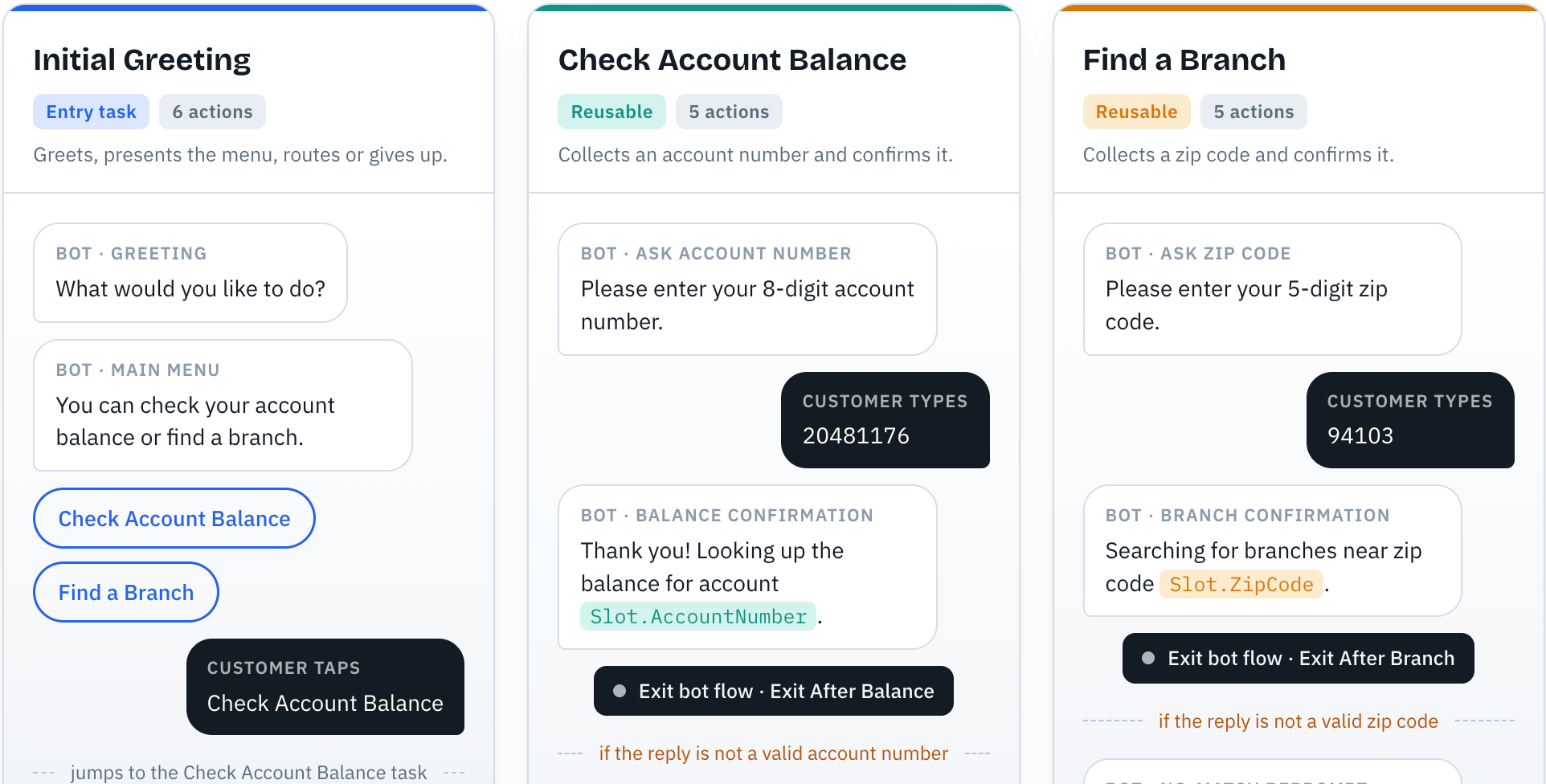
What else can it do?
Asking questions of a flow
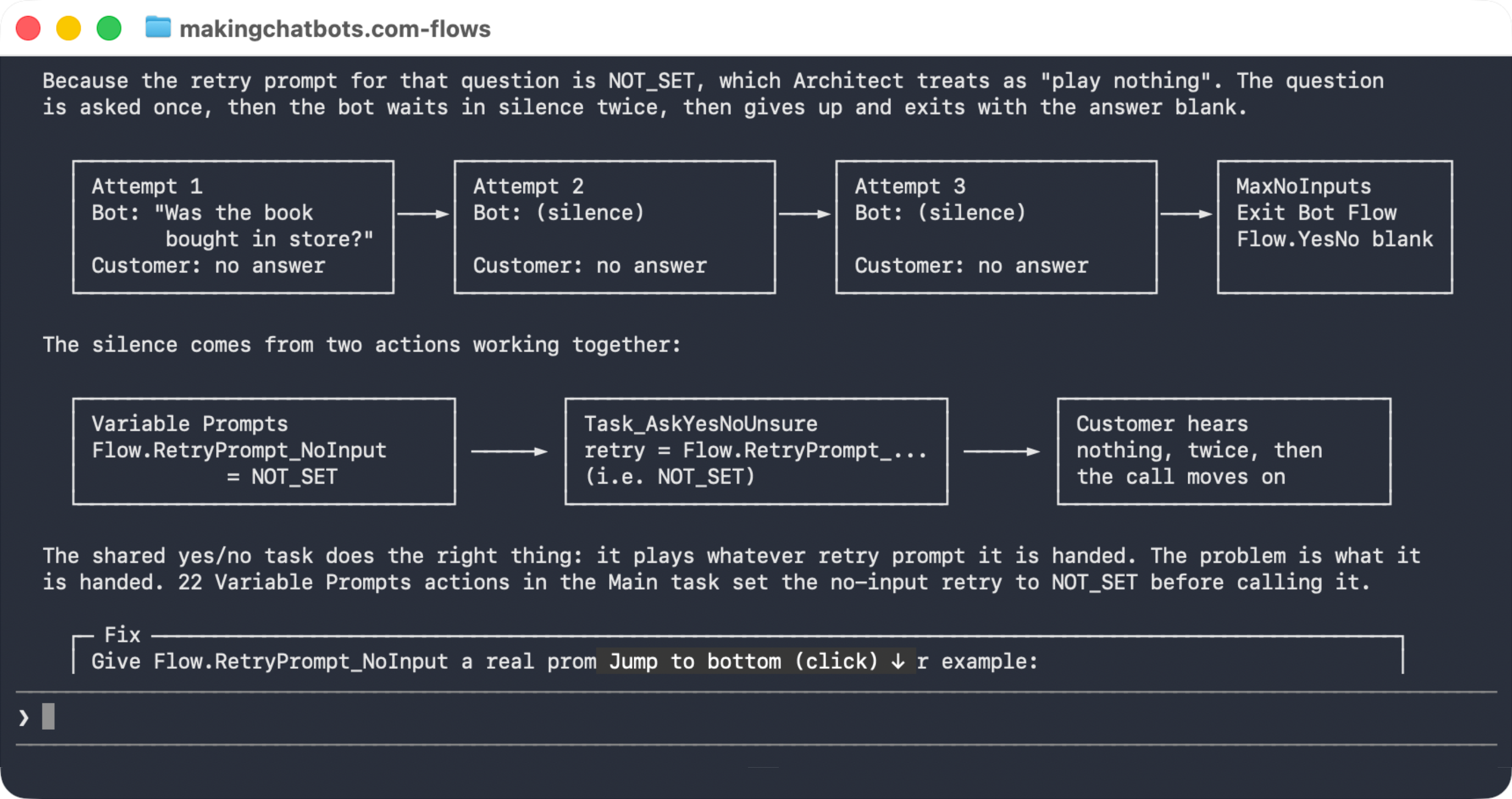
A capability that I have found exceptionally useful is being able to ask questions about how parts of a flow work:
Explain why the "Was the book bought in store?" question in the flow
"Main Intent Router" goes silent when the customer doesn't answer.

Use simple illustrations to help me understand.
The answer can be further interrogated with followup questions, exported to a document or used to enrich the documentation:
Identify issues with a flows
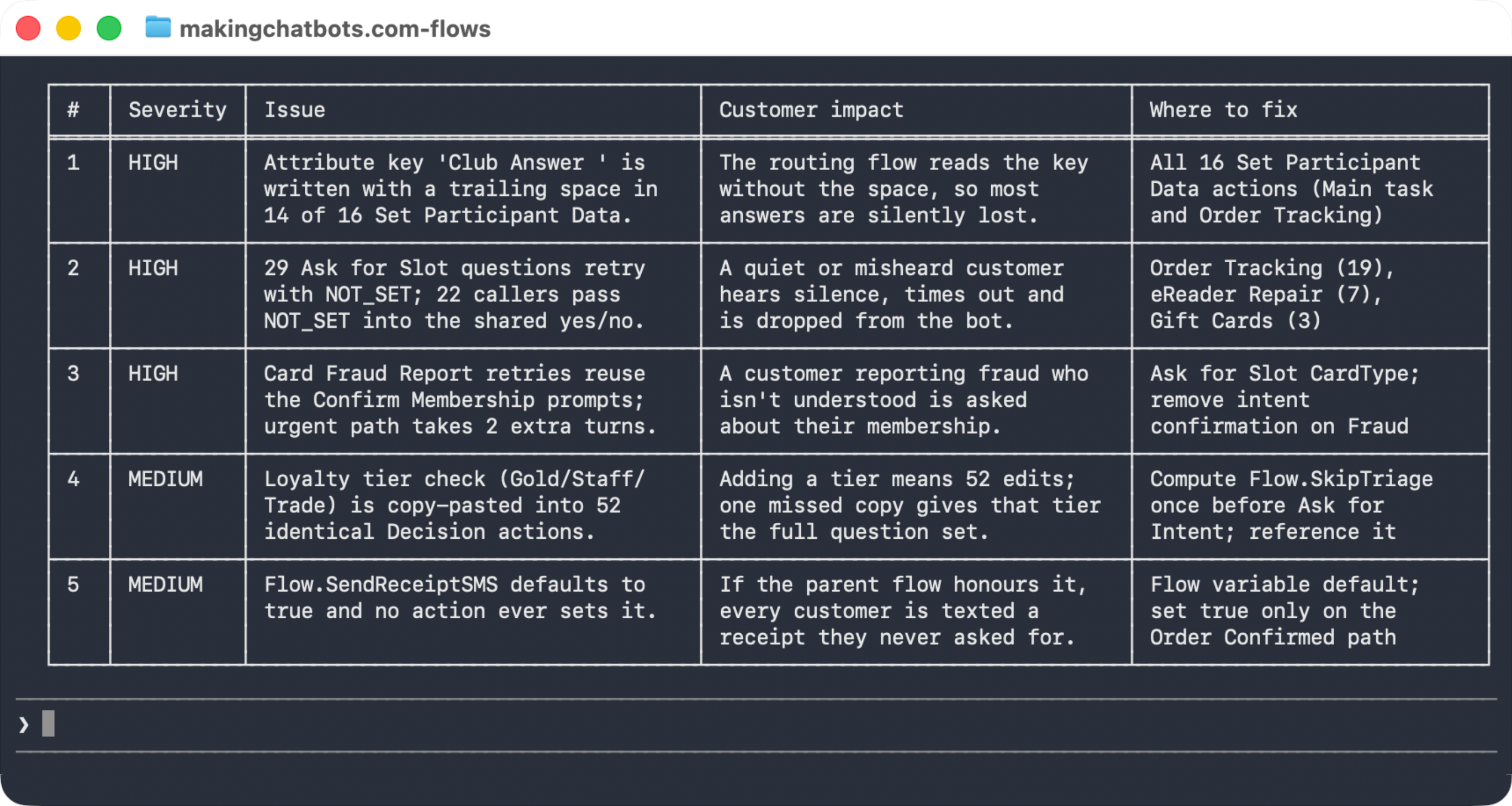
Another fantastically useful capability is being able to use Claude Code to find issues with a flow; such as logically unreachable nodes, inconsistent messaging, expressions relying on variables that are never changed, the list goes on.
Review the flow "Main Intent Router" for problems.

Give me a table of every issue you find, ordered by severity,
with what it would mean for a customer and where in the flow to fix it.
The results below are summarised, but could just as easily be a detailed write-up of each issue and how to fix it:
Conclusion
We live in interesting times, where there are opportunities abound to simplify tasks with AI.
Hopefully, this is an example of such tasks being made simpler with AI in the Genesys Cloud world. Where once it was a lot of effort to translate a flow into a diagram (or vice versa), it can now be achieved with the aid of Claude Code and my Genesys Cloud Architect plugin.
Happy Documenting!